On behalf of the Student Life & Leadership Development department, we would like to congratulate you in choosing to attend Metro State University. With a vibrant community and a strong dedication to an affordable, anti-racist, and accessible education, Metro State is a remarkable institution to pursue your postsecondary degree.
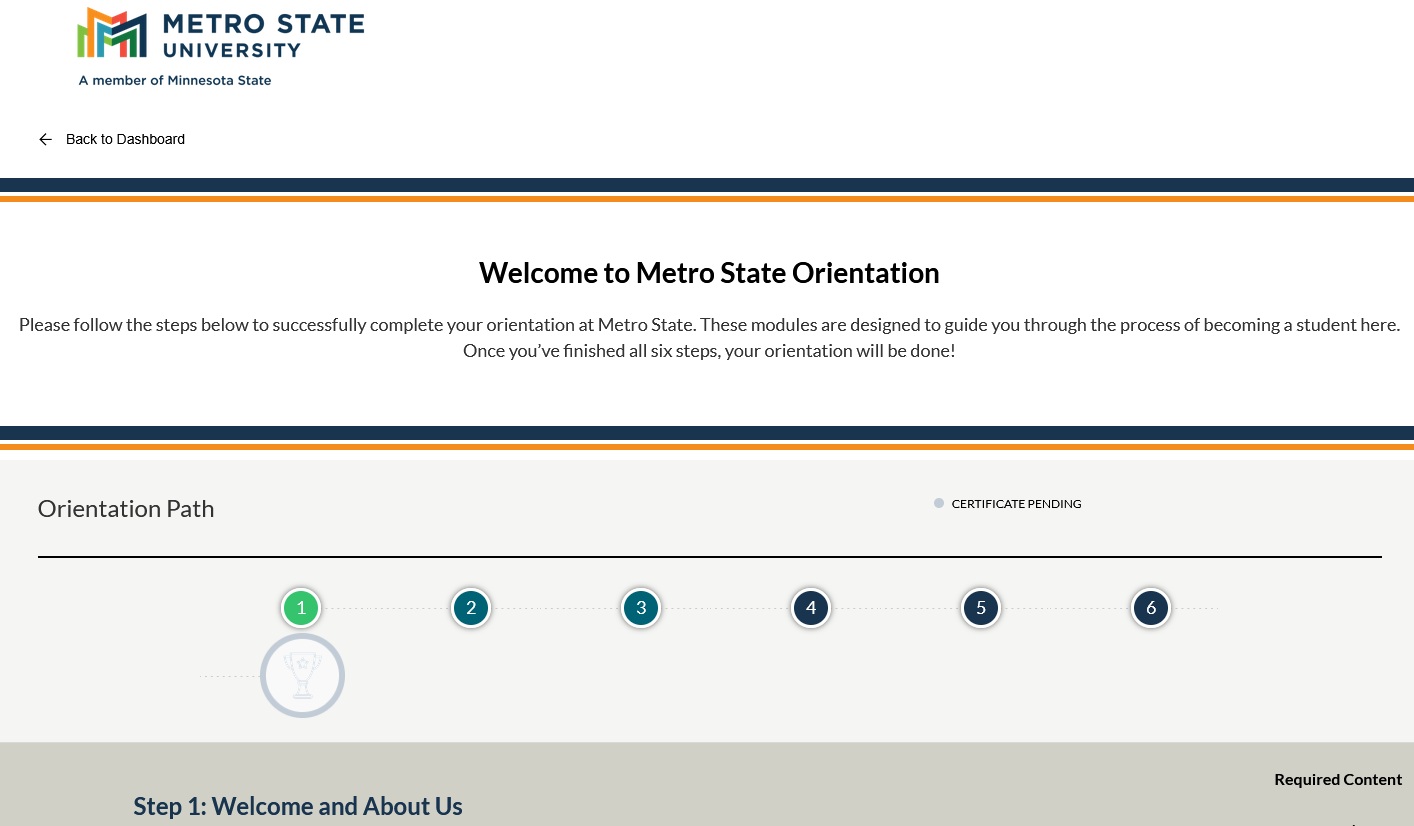
Your online New Student Orientation is comprised of a couple of Learning Paths: “New Student Orientation” and “Student Success Workshops”. You will need to complete the six steps within the “New Student Orientation” path and earn your Certificate showing completion. We will then be notified of your completion and will remove your hold (note: this can take 2-3 business days).
You will also see “Student Success Workshops” that are optional but useful to your academic success. There are 70+ modules providing information on Academic and Career Exploration, Success Strategies, Online Learning and AI tips and much more. Additionally, from September to April a student’s name is drawn for a $500 scholarship. Completing a workshop gets you an entry into that month’s drawing.
Finally, International Students have additional resources that are available to them in an additional learning path for them.
All three learning paths are always available for you to come back and take a look at any time. You can also break up the completion of orientation as you wish and pick up where you left off.
StarID
To begin, you will need to log in to your Metro State Microsoft account – that will be your StarID@go.minnstate.edu and your password. You will go here to log in (a new tab will open). If you do not know your StarID you can activate or retrieve it here (a new tab will open).
Tips for the online Orientation
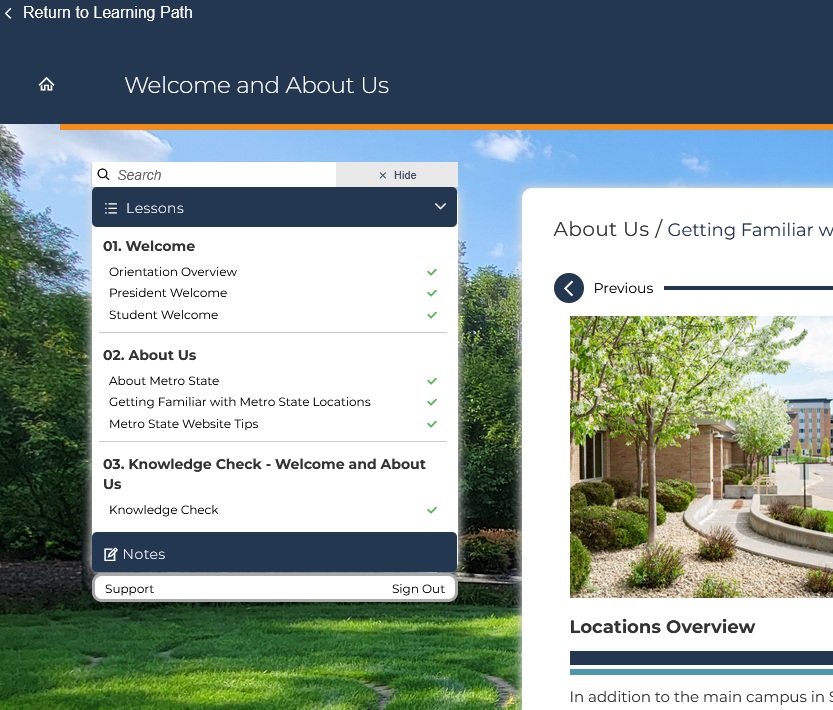
Under each step you will select the dark blue “View” button to get into that step. You will see a menu pull up on the left and the module showing you that step’s sub-sections.
The green “check” marks indicate that you have completed that sub-section within the module. A green “check” mark on the Knowledge check indicates you have completed that and can move on to the next Step! Be sure to completely go through each step!
.
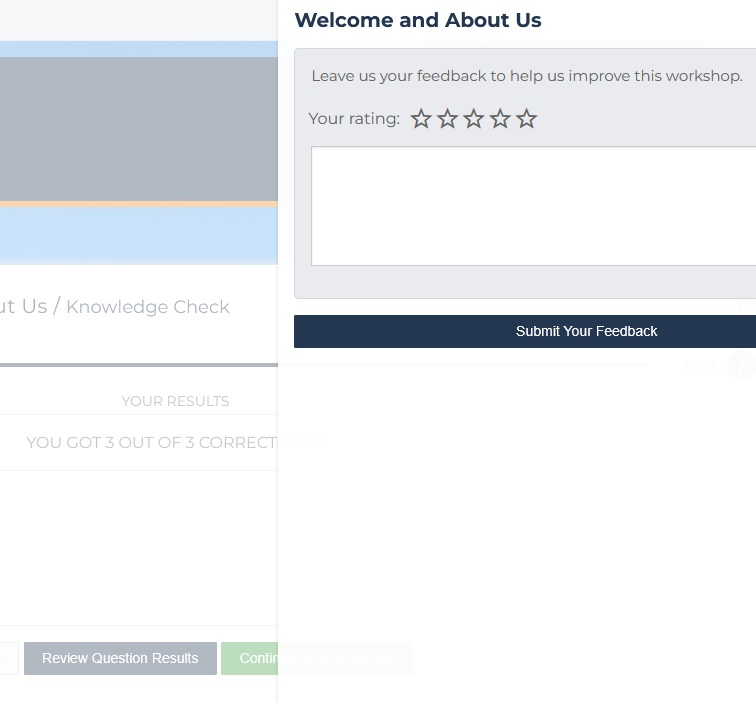
After each step – typically following the Knowledge Check – you will select the green “Continue to Next Section” button. This will pop up a “Feedback Box” for that step. You can rate the Step, leave comments to help us improve upon it, or leave it blank. Whatever you decide, you will need to select the “Submit Your Feedback” button to continue on to the next section.
Again, it may take up to three (3) business days to for the Student Life staff to verify the successful completion of online New Student Orientation. You will receive an email notification to your university e-mail account (firstname.lastname@my.metrostate.edu or StarID@go.minnstate.edu) confirming your online New Student Orientation completion.
If you have any questions throughout this module, please email Student Life Leadership Development.
Select “Next” below to enter the New Student Online Orientation.